Docker - TradingAgents
Using TradingAgents with Local LLM
This note is a comprehensive guide for setting up the TradingAgents framework with a local LLM engine inside a Docker environment on an Apple Silicon chip. Docker does not fully support GPU acceleration for Silicon chips (MX). Thus, one should host the local LLM on macOS and connect Docker to it. However, this note will explain how to set up the pure Docker container. It incorporates all technical issues, specific error codes, and workarounds.
The first thing one needs to do is to clone the repository into the local computer:
1
2
$ git clone https://github.com/TauricResearch/TradingAgents.git
$ cd TradingAgents
Then, one should create the environmental settings file and add some options:
1
2
3
4
5
6
$ cp .env.example .env
$ vi .env
# In order to use a local LLM, add the following options to the `.env` file:
LLM_PROVIDER=ollama
OLLAMA_BASE_URL=http://ollama:11434/v1
OLLAMA_MODEL=llama3.1:8b
We don’t need to install
ollamaand LLM models on the local computer.
After that, one starts the backend services by using docker compose. This enables running multiple container applications:
1
2
3
# Restart container
$ docker compose --profile ollama down
$ docker compose --profile ollama up -d
One can check how well they are running by:
1
$ docker ps
Now, one can install an LLM model and execute TradingAgents:
1
2
3
4
5
6
# Install LLM model
$ docker exec -it tradingagents-ollama-1 ollama run llama3.1:8b
# Check LLM model
$ docker exec -it tradingagents-ollama-1 ollama list
# Execute TradingAgents
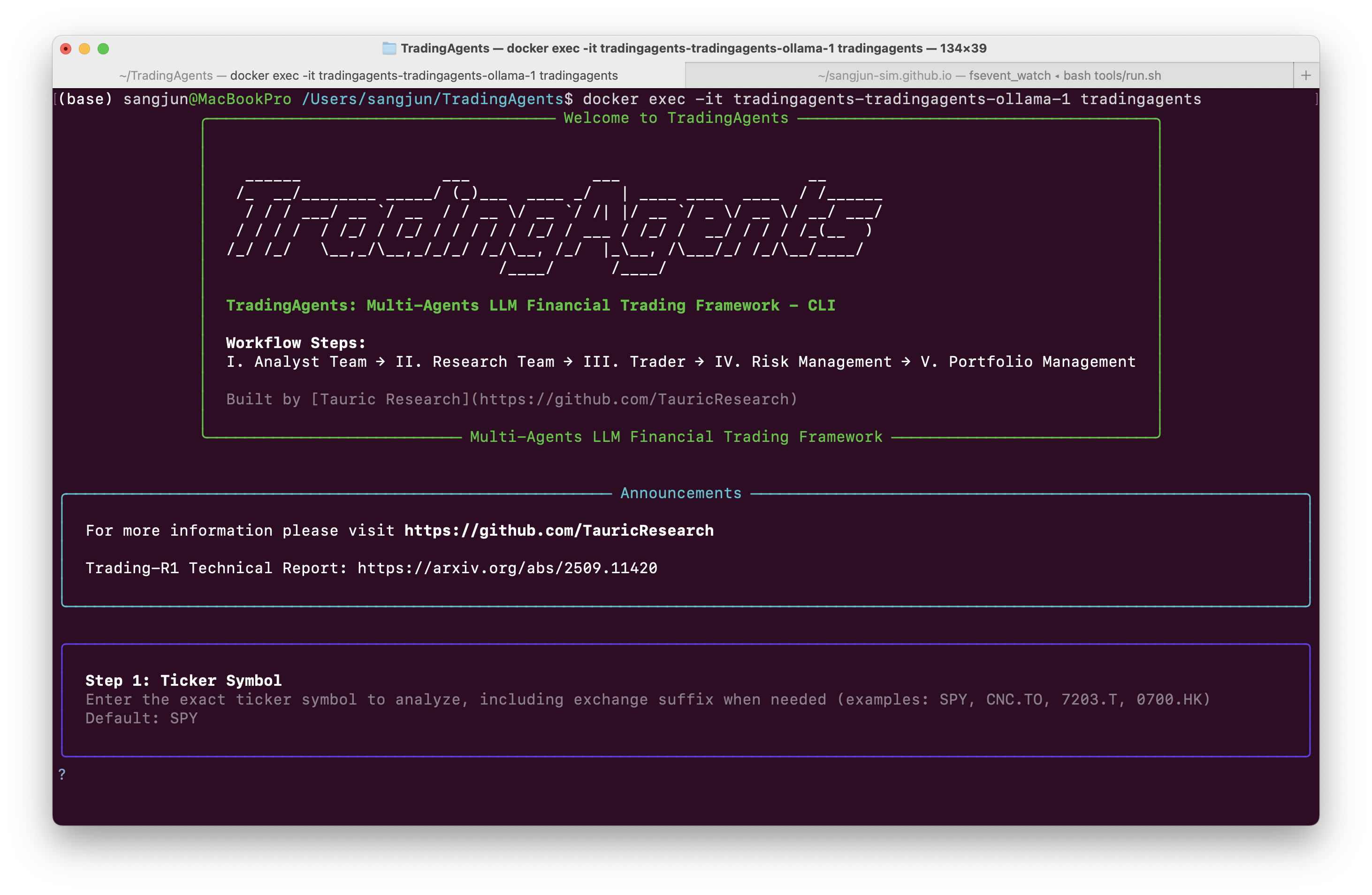
$ docker exec -it tradingagents-tradingagents-ollama-1 tradingagents
If one does it correctly, one gets the following screen:
Saving Reports as an md file
TradingAgents saves the complete report file complete_report.md in a ~/.tradingagents/ directory. To access this directory, one logs into the container first:
1
$ docker exec -it tradingaents-tradingagents-1 bash
The output reports file is saved in ~/.tradingagents/logs/<market>/<DATE>/reports/ as a final_trade_decision.md file. One can copy this file and paste it into the local directory by using:
1
$ docker cp tradingaents-tradingagents-1:/home/appuser/.tradingagents/logs/<market>/<DATE>/reports/final_trade_decision.md .